
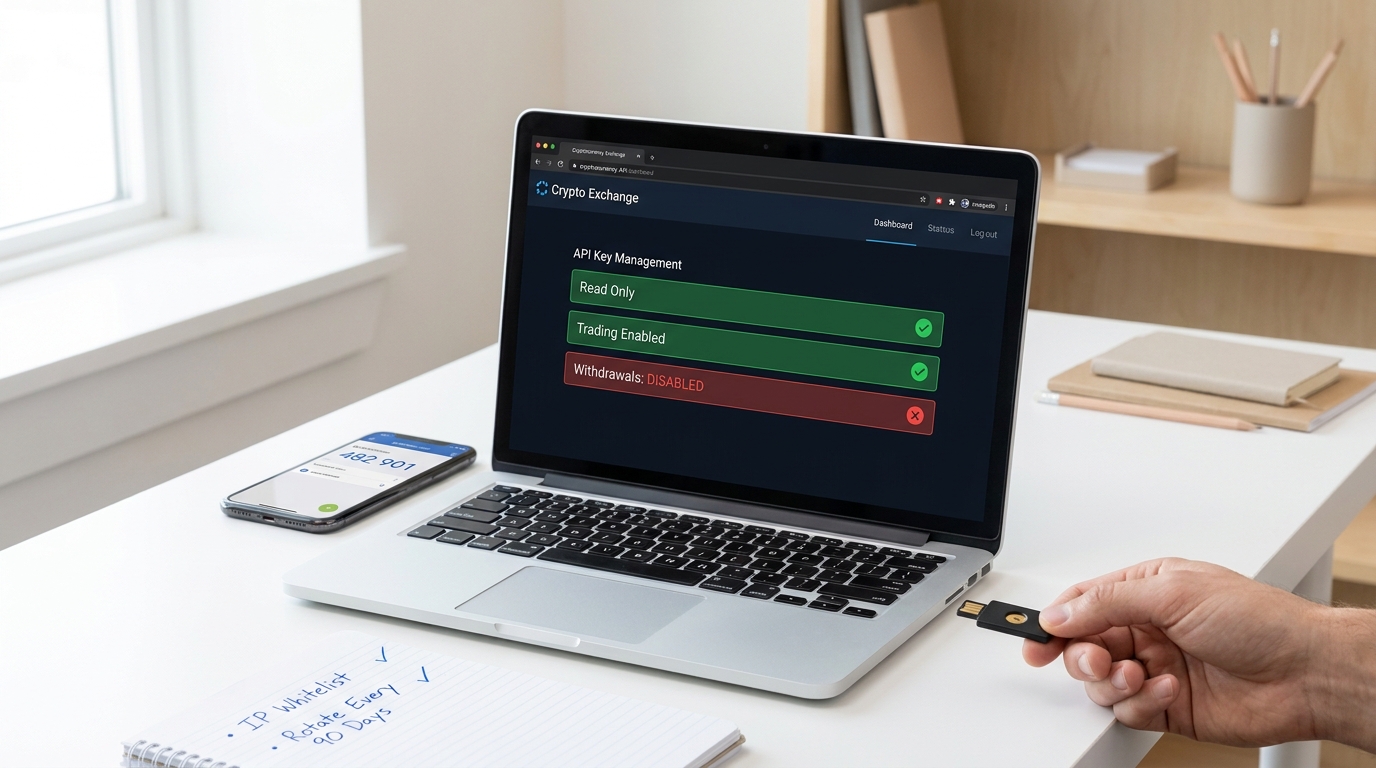
Connecting a trading bot to a centralized exchange requires giving it access to your account, but that access comes with real risk. Your API keys are credentials—lose them or misconfigure their permissions, and an attacker can drain your balance or execute trades you didn’t authorize. The core problem is simple: bots need API access, but most traders either grant too many permissions, store secrets insecurely, or fail to monitor usage. This guide focuses on security first and bot strategy second, giving you a practical framework to connect bots safely across any major exchange.
The baseline for safe bot connections is straightforward: read and trade permissions only, withdrawals disabled, IP whitelisting enabled, secrets stored in a dedicated secrets manager, and a revocation plan ready to execute if something goes wrong. Every control in this article addresses a specific threat, not an abstract security principle. By the end, you’ll understand why each step matters and how to implement it without sacrificing operational simplicity.
Why CEX API Bot Connections Fail When Security Is an Afterthought
Exchange APIs are single points of failure. One compromised key can lead to unauthorized trading, account lockouts, or fund transfers before you notice anything is wrong. The threat surface is larger than many traders realize: it includes the key itself, the server where the bot runs, the network between them, and the person managing the system. Attackers can exploit any weak link.
The common failure modes are predictable. Traders create API keys with withdrawal permissions enabled because “it’s easier to manage” later. They paste keys into plaintext notes or store them in code repositories. They skip IP whitelisting because they think it’s optional. They never check API logs or set up alerts. When a key leaks—through a compromised VPS, a GitHub commit, or a social engineering attack—the damage compounds quickly because nothing stops the attacker from executing trades or moving funds.
The Real Risk Surface: Keys, Permissions, Servers, and Human Error
An API key is a password, but it’s worse than a password because it’s often stored in files, environment variables, or configuration systems where it can persist longer and be accessed more easily. A leaked private key grants direct access to your trading account without needing to bypass login or 2FA on the exchange itself. The attacker can trade with your balance, lock you out, or sell assets at a loss.
Overbroad permissions amplify the damage. If your bot key has withdrawal access and it leaks, the attacker can move funds off the exchange entirely. If it has access to all trading pairs, a bug in the bot (or malicious code injected into it) can trade assets you never intended to touch. The same logic applies to server compromise: if your VPS is hacked and the bot’s key is stored there in plaintext, the attacker owns your account.
Permission controls and source-IP checks are defense layers, not substitutes for secure storage. Even with IP whitelisting enabled, a key stored in an insecure location can be stolen and used from anywhere. Even with minimal permissions, a careless deployment can expose the key to unauthorized access. Security requires defense in depth: right permissions, secure storage, IP restrictions, monitoring, and a fast revocation process all working together.
What Competitors Emphasize Most in Their Safety Guidance
Most articles covering exchange API security repeat the same core themes. The strongest competitor content emphasizes disabling withdrawals, enabling IP whitelisting, using 2FA on the exchange account, encrypting secrets at rest, and having a plan to revoke keys quickly. Some add sub-account isolation and mention that keys should never appear in code. A few go further and discuss rotation schedules and alert monitoring.
This repetition suggests consensus, which is valuable. But many sources stop there, leaving gaps in threat modeling, incident response, and operational depth. Few articles explain why you should whitelist IPs or what happens if you don’t. Even fewer cover how to rotate a key without downtime or what to do if you suspect compromise. By synthesizing these best practices and adding practical frameworks—permission matrices, guardrail rules, and revocation playbooks—you can outperform competitor articles and give readers confidence that they understand and can execute secure setups.
Choose the Right API Permissions Before You Connect Anything
The principle of least privilege applies directly to API keys: grant only the permissions the bot actually needs, and nothing more. A bot that only reads your balance and places orders doesn’t need to access margin trading, sub-accounts, or withdrawal functionality. Each permission granted is a potential attack vector if the key leaks or the bot is compromised.
Different tools have different permission needs. A read-only tracker that monitors your portfolio should never have trade access. A grid trading bot needs read and spot-trading permissions, but not margin or futures access unless you’re explicitly using margin. A risk-monitoring tool might only need read access to order history and balances. The goal is to segregate permissions by use case, so if one key is compromised, the blast radius is limited.
| Use case | Minimum permissions | Why it matters | Avoid |
|---|---|---|---|
| Portfolio tracker | Read balances, read orders | Monitor positions without trade risk | Trade, withdrawal, or margin access |
| Spot trading bot | Read orders, read balances, trade spot pairs | Execute trades on allowed pairs | Withdrawals, futures, margin, or leverage |
| Futures bot | Read orders, read balances, trade futures (if needed) | Isolate leverage trading from spot | Withdrawals, margin, or other asset classes |
| Margin trader | Read orders, read balances, trade margin pairs | Use margin on selected pairs only | Withdrawals, futures leverage, or all pairs |
| Operational tool (funding) | Read balances, read deposit address | Verify on-ramp without action | Trading, withdrawals, or account changes |
Permission Matrix for Trackers, Bots, and Operational Tools
The following matrix shows what to enable and what to avoid for each tool type. Most exchanges let you create API keys with custom permission sets, so use this as a guide when configuring your key.
| Tool type | Required access | Optional access | Never enable |
|---|---|---|---|
| Read-only tracker | Spot read, futures read | Account read (for fees) | Any trade, withdrawal, margin |
| Spot trading bot | Spot trade, spot read | Order history | Withdrawals, margin, futures, leverage |
| Futures bot | Futures read, futures trade | Order history | Withdrawals, spot margin, account changes |
| Sub-account monitor | Read sub-account balances | Read sub-account orders | Create/modify sub-accounts, withdrawals |
| Paper trading tool | Read historical data, read balances | None | Any write or trade action |
How to Generate and Activate the API Key Safely on a CEX
The sequence matters. Start by hardening your account, then create the key with minimal permissions, save the secret securely, and test before going live. Rushing this step often leads to misconfigured keys that grant more access than necessary.
Account Prerequisites and Key Creation Flow
- Enable two-factor authentication (2FA) on your exchange account using an authenticator app (not SMS). This prevents attackers from accessing the account settings even if they have your password.
- Verify your account identity if the exchange requires it. Some platforms restrict API access to fully verified accounts.
- Log in and navigate to the API settings or API management section (usually under account security or API settings).
- Create a new API key. Most exchanges show the secret only once, so copy it immediately into a secure location (see the storage section below).
- Do not use a default key name; give it a descriptive name like “grid-bot-spot-trade” or “monitor-read-only” so you can identify it later.
- Select only the permissions the bot needs: read, trade, or both. Disable withdrawals.
Most exchanges show the API key and secret only once after creation. If you miss copying the secret, you’ll need to delete the key and create a new one. Save both the key and secret securely before proceeding.
What to Verify Immediately After Activation
- Enabled permissions: Log back into the API management page and confirm that only the intended permissions are active (e.g., “trade” and “read” but not “withdrawal”).
- No withdrawal access: Double-check that withdrawal permissions are disabled. This is the single most important permission to verify.
- Connectivity test: Use the bot’s test function or a simple API call to confirm the key works and is restricted to the right account or sub-account.
- Timestamp accuracy: Confirm that your bot server’s clock is synchronized to the exchange’s time (most exchanges require time skew within 5 seconds). Time mismatches cause authentication failures.
- IP whitelist status: If the exchange allows IP whitelisting, note the current setting and plan to enable it in the next step.
- Rate limit tier: Check if the key has any rate-limit restrictions and ensure your bot respects them.
A post-activation review takes five minutes and catches misclicks before you deploy the bot to live trading. It’s the difference between discovering a permission error in a test environment and discovering it after the bot places an unintended trade.
Lock the Key Down With Source Controls and Storage Protections
After you’ve created a key with the right permissions, secure it at rest and control where it can be used. This layer prevents the key from being exposed through typical attack vectors: hardcoded in source code, logged in plaintext, stored in screenshots, or left in chat histories.
| Control | Purpose | Implementation example |
|---|---|---|
| Encrypted secrets manager | Store API keys in a dedicated system with access controls and audit logs | Use AWS Secrets Manager, HashiCorp Vault, or your bot platform’s built-in vault |
| IP whitelisting | Restrict the key to only your bot server’s IP address | Enable IP whitelist on the exchange and add your VPS or home server IP (if static) |
| Sub-account isolation | Create a separate sub-account for the bot and assign the key to that sub-account only | Deposit only the trading capital you want the bot to use; never share a sub-account with manual trading |
| Environment variable separation | Store secrets in environment variables, not in code or config files | Set API_KEY and API_SECRET as env vars at deployment time; bot code reads from environment |
| Role-based access control | Limit who can view or manage the API key | Configure IAM or permission groups on the exchange to restrict key visibility to authorized users only |
| Encrypted transit | Ensure the bot uses HTTPS/TLS to communicate with the exchange | Most exchange SDKs handle this; verify with curl -I if in doubt |
| Separate key per bot | Use a different API key for each bot, environment, or exchange | If one key leaks, you revoke only that key and bot; others keep running |
Security Controls That Should Be Non-Negotiable
The following table compares best practices with common mistakes. If you’re following best practice, you’re ahead of 90% of traders.
| Control | Best practice | Common mistake |
|---|---|---|
| Storage | API key in secrets manager with encryption at rest | Stored in plaintext in .env file or in the bot’s config |
| Code | Never hardcode secrets; read from environment or vault at runtime | Pasting the key directly into the bot’s Python or JavaScript code |
| Logging | Configure bot and exchange logs to never output keys or secrets | Keys appear in debug logs or bot output logs |
| Backups | If you back up config files, encrypt them and restrict access | Unencrypted backup files sitting on a cloud storage or old hard drive |
| Whitelist | Enable IP whitelisting on the exchange; limit to your bot server’s IP | Leaving IP whitelist disabled because “it’s easier” |
| 2FA | Hardware or app-based 2FA on the exchange account | SMS-based 2FA or no 2FA at all |
| Monitoring | Check API logs weekly and set up alerts for suspicious activity | Never looking at API logs or trade history |
Add Trading Guardrails So the Bot Cannot Do Unlimited Damage
API access safety and bot strategy risk are separate concerns, but they interact. Even with perfect key security, a bug in your bot’s logic or a market anomaly can trigger unintended trades. Pre-trade guardrails limit the damage a malfunctioning bot can cause.
These guardrails live in two places: some are enforced by the exchange (like disabling withdrawal access), and others are built into the bot itself (like order-size caps or pair allowlists). Think of them as circuit breakers.
- Symbol allowlist: Configure the bot to trade only specific pairs. If you want it to trade BTC/USD and ETH/USD, hardcode those pairs. Any other order is rejected. This prevents a bug from making the bot trade random altcoins.
- Order-size cap: Set a maximum order size the bot can place in a single trade. If the bot tries to place an order larger than this cap, reject it. This prevents a rogue order from consuming too much balance.
- Daily loss limit: Track daily P&L and disable trading if losses exceed a threshold. If the bot is consistently losing, stop it and investigate.
- Order-type restrictions: Disable market orders if your strategy only needs limit orders. Restrict to limit orders only, which gives you more control over entry and exit prices.
- Position-size limit: Cap the total notional value the bot can hold in open positions. If positions exceed the limit, the bot stops opening new trades.
- Testnet validation: Before deploying to live trading, run the bot on testnet or paper trading with the exact same settings and capital simulation.
- Monitoring and alerts: Log all bot activity and set up alerts for unusual behavior: very large orders, orders outside normal price ranges, or rapid consecutive cancellations.
Pre-Trade Controls That Limit Bad Behavior
- Pair whitelisting: Only trade symbols in an explicit allowlist (e.g., BTC/USD, ETH/USD). Reject any order outside the list.
- Order size limits: Cap individual order size and total open position value. Prevents runaway positions.
- Price deviation checks: Reject orders if the price deviates sharply from the last known price (e.g., reject if price moved >5% since the last update).
- Rate limiting: Configure the bot to limit orders per minute or per hour to avoid hitting exchange rate limits or accidentally flooding the order book.
- Manual override: Keep the ability to pause or kill the bot manually, without waiting for a config reload.
- Dry-run mode: Before live deployment, run the bot in dry-run mode where it simulates trades but doesn’t send actual orders.
When to Use Sub-Accounts and Separate Keys
Most major exchanges support sub-accounts, which partition balances and trading history. Use a sub-account for each bot or each trading strategy. Deposit only the capital you want that bot to risk; keep the rest in your main account or a separate sub-account. This way, if one bot’s key leaks, the attacker can only access the funds in that sub-account.
Assign a unique API key to each sub-account. Research, staging, and production should never share credentials. If you’re testing a new bot version, use a staging sub-account with minimal capital and a separate key, so bugs in the staging bot don’t affect production.
Separate keys per environment also make rotation and incident response simpler. If your staging key is compromised, you revoke it and create a new one without touching production. The operational overhead is minimal, and the risk reduction is significant.
Monitor Usage, Rotate Keys, and Revoke Fast If Something Looks Wrong
Creating a key is the start; monitoring and maintaining it is the ongoing work. Check your API logs regularly, watch for unusual patterns, and rotate keys on a schedule. If you ever suspect compromise, revoke immediately.
| Task | Trigger | Action | Outcome |
|---|---|---|---|
| Check API logs | Weekly or after large trades | Review recent API calls in the exchange dashboard; check for unusual IPs or timestamps | Catch any unauthorized access early |
| Alert on failed logins | Failed login attempts to exchange account | Receive notification from exchange; investigate if logins don’t match your expected locations | Detect credential probing or brute-force attempts |
| Monitor order anomalies | Bot places unusually large orders or unusual pairs | Pause the bot; check bot logs and recent market conditions | Distinguish between bot bugs and hacks |
| Rotate API keys | Every 90 days or after personnel changes | Create new key with same permissions, update bot, verify connectivity, delete old key | Limit exposure window if old key was compromised |
| Revoke on suspected compromise | Unexpected trades, login from unfamiliar IP, repeated authentication failures | Immediately disable the API key in the exchange dashboard, then investigate | Prevent further unauthorized access |
Rotation and Incident Response Playbook
| Scenario | Immediate action | Follow-up |
|---|---|---|
| Key leaked (e.g., committed to GitHub) | Revoke the key in the exchange dashboard immediately; do not wait for confirmation | Search the GitHub repo history for other keys; enable branch protection rules; audit other services for leaked keys |
| Bot has unauthorized trades | Pause the bot; disable the API key; review trade history and logs to understand what happened | Check if the bot’s code was modified; verify no other keys were compromised; restore the bot from a clean backup if code was changed |
| VPS server compromised | Revoke all API keys associated with that server; assume all secrets stored on it are compromised | Reimage the server from scratch; rotate all credentials that touched the server; deploy the bot to a clean instance with new keys |
| Suspicious API activity (repeated errors, unusual pairs) | Create a new API key; deploy it to the bot; verify the bot is running and trading as expected; then revoke the old key | Check bot logs for errors; review any recent code changes; confirm the bot’s trading logic is correct |
| Scheduled rotation (no incident) | Create new API key on the exchange with the same permissions as the old key; update the bot to use the new key; test connectivity | Verify the bot is trading normally with the new key; wait 24 hours; revoke the old key to ensure the new one is stable |
| Lost access to secrets manager | If you cannot access the secrets manager where your key is stored, create a new API key immediately and switch to it | Move the new key to a backup secrets manager or secure location; audit who has access to the primary manager |
Zero-downtime rotation is possible if you deploy the new key to your bot before revoking the old one. Create the new key, update your bot’s configuration or secrets manager to use both keys (old and new), deploy the change, monitor for errors, and only then revoke the old key. This approach lets you validate the new key in production before removing the old one.
Incident response starts with immediate revocation—don’t investigate while the key is still active. After revoking, check logs to understand the scope of the incident. If the bot’s code was modified, restore it from version control and check when and how the modification happened. If the server was breached, assume all secrets on it are compromised and rotate anything that touched that server.
How Competitor Articles Differ and Where the Strongest Ones Go Deeper
Most top-ranking articles on exchange API security follow a similar structure: create the key, disable withdrawals, enable IP whitelisting, store the key securely, and revoke if needed. This consistency reflects industry consensus on baseline safeguards. However, the gaps in competitor content create opportunities to rank higher and provide more value.
Common Patterns in Top-Ranking Articles
| Pattern | Why it ranks | What it misses |
|---|---|---|
| Step-by-step API key creation | Direct, actionable instructions matched to user search intent | Doesn’t explain the threat model or why each step prevents a specific attack |
| Permission checklist | Easy to scan and follow; matches “how to” search queries | Treats permissions as a list rather than explaining when and why to use each permission |
| “Never store keys in code” warning | Correct and important; catches beginners making common mistakes | Doesn’t explain how to securely store keys or what “secure storage” actually means in practice |
| IP whitelisting mention | Matches security-conscious queries; real control that reduces risk | Often presented as optional or secondary rather than essential; lacks implementation examples |
| Exchange-specific tutorials | Attracts keywords like “Binance API bot” or “Coinbase API setup” | Limits scope to one exchange; doesn’t help readers who use multiple exchanges or switch platforms |
Unique Angles to Outperform the Competition
- Explicit threat model: Describe why each control matters by naming the attack it prevents (e.g., “IP whitelisting stops an attacker from using your leaked key from a different location”).
- Permission matrix: Provide a table showing which permissions each tool type needs, making it faster for readers to configure correctly instead of guessing.
- Incident response playbook: Include scenarios and response steps, not just prevention. Most competitors ignore response; you’ll differentiate by covering what to do if something goes wrong.
- Pre-trade guardrails framework: Move beyond key security into operational safeguards like order-size caps and symbol allowlists. Competitors conflate API safety with strategy risk; you’ll separate them.
- Rotation workflow: Explain how to rotate keys without downtime and when to rotate (scheduled vs. emergency). Most articles skip this operational detail.
- Sub-account strategy: Explain when and why to use separate sub-accounts and keys per bot, environment, or exchange. Competitors mention it briefly; you’ll make it a decision framework.
The strongest articles combine baseline security controls with deep operational guidance, making them useful for both beginners and experienced traders. They explain threat models, not just rules. They include playbooks, not just checklists. And they acknowledge that security requires ongoing monitoring and maintenance, not just correct setup.
A Practical Safe-Connection Workflow You Can Follow Today
Combine the advice into one end-to-end workflow. This checklist mirrors the real operational order: harden your account, create the key, restrict permissions, whitelist IP, test safely, deploy, monitor, and rotate.
Deployment Checklist From First Login to Live Bot
- Harden the exchange account: Enable 2FA with an authenticator app (not SMS). Verify your identity if required. Set a strong, unique password.
- Create the API key: Log into account settings, navigate to API management, create a new key with a descriptive name (e.g., “grid-bot-btc-usdt”).
- Set permissions: Select only read and trade; disable withdrawals. If the exchange allows, restrict the key to specific pairs or a sub-account.
- Save the secret securely: Copy the key and secret immediately into your secrets manager (AWS Secrets Manager, Vault, or your bot platform’s built-in system). Do not save to local files, notes, or email.
- Enable IP whitelisting: If the exchange supports it, go back to API settings and whitelist only your bot server’s IP address.
- Configure the bot: Deploy the API key to your bot via environment variables or the secrets manager. Update the bot config to point to the correct trading pair and sub-account.
- Test on testnet or paper trading: Run the bot with the exact same settings on testnet or paper trading to verify it works and respects your guardrails (pair limits, order sizes).
- Deploy to production: Once tested, start the bot on live trading with minimal capital first (e.g., 5–10% of your intended capital). Monitor for errors and unexpected behavior.
- Set up monitoring: Check API logs weekly and set alerts for large orders, failed requests, or trades outside your expected pairs.
- Schedule key rotation: Mark your calendar to rotate the key every 90 days. Create and validate the new key before revoking the old one.
This workflow takes an hour the first time and 15 minutes for subsequent bots (because you’ve already hardened your account and set up monitoring systems). It’s the difference between hoping security works and knowing it does.
Content Angles, Keyword Clusters, and Internal-Link Opportunities
This article targets users searching for secure bot setups, but it fits into a larger cluster of related queries and content. Use these internal links and supporting topics to build topical authority around secure automation.
Recommended Internal Link Targets
- API key security and secrets management: A deeper guide on storage options (Vault, AWS Secrets Manager, environment variables) and encryption best practices.
- Exchange account hardening: 2FA setup, password policy, and login security across different exchanges.
- Bot setup guides: Vendor-agnostic bot platform setup, configuration, and troubleshooting (complement this article’s security focus with strategy guides).
- Pre-trade risk controls and order guardrails: Expand on order-size caps, symbol allowlists, and daily loss limits for different bot types.
- Incident response and key revocation: A standalone guide on detecting compromises, assessing scope, and recovering from leaks or unauthorized access.
- Sub-account management strategies: How to partition trading capital, isolate risks, and assign keys per sub-account or bot.
- API logs and monitoring setup: How to configure alerts, review logs, and detect unusual patterns in your API usage.
SEO Content Gaps to Address in the Final Article
The supporting terms around this article—least privilege, whitelisting, secrets manager, revocation, paper trading, monitoring—are underserved in competitor content. Integrate these naturally into the body sections rather than a FAQ. For example, when discussing IP whitelisting, explain the concept of least privilege: only allow what you need, nothing more. When covering storage, mention secrets managers by name and explain what “secrets” means in this context.
Cover the operational terms that traders use: “How do I test my bot without risking real money?” (answer: paper trading or testnet). “How do I know if my key was compromised?” (answer: check API logs and trade history). “Can I rotate my key without stopping the bot?” (answer: yes, with the right workflow). These questions connect users searching for specific problems to your comprehensive guide.
By addressing the gaps competitors leave—threat modeling, incident response, permission matrices, guardrails, and rotation playbooks—you position this guide as the definitive resource for traders serious about security. It’s not just a checklist; it’s a framework that teaches readers why each step matters and how to adapt it to their own setup.