
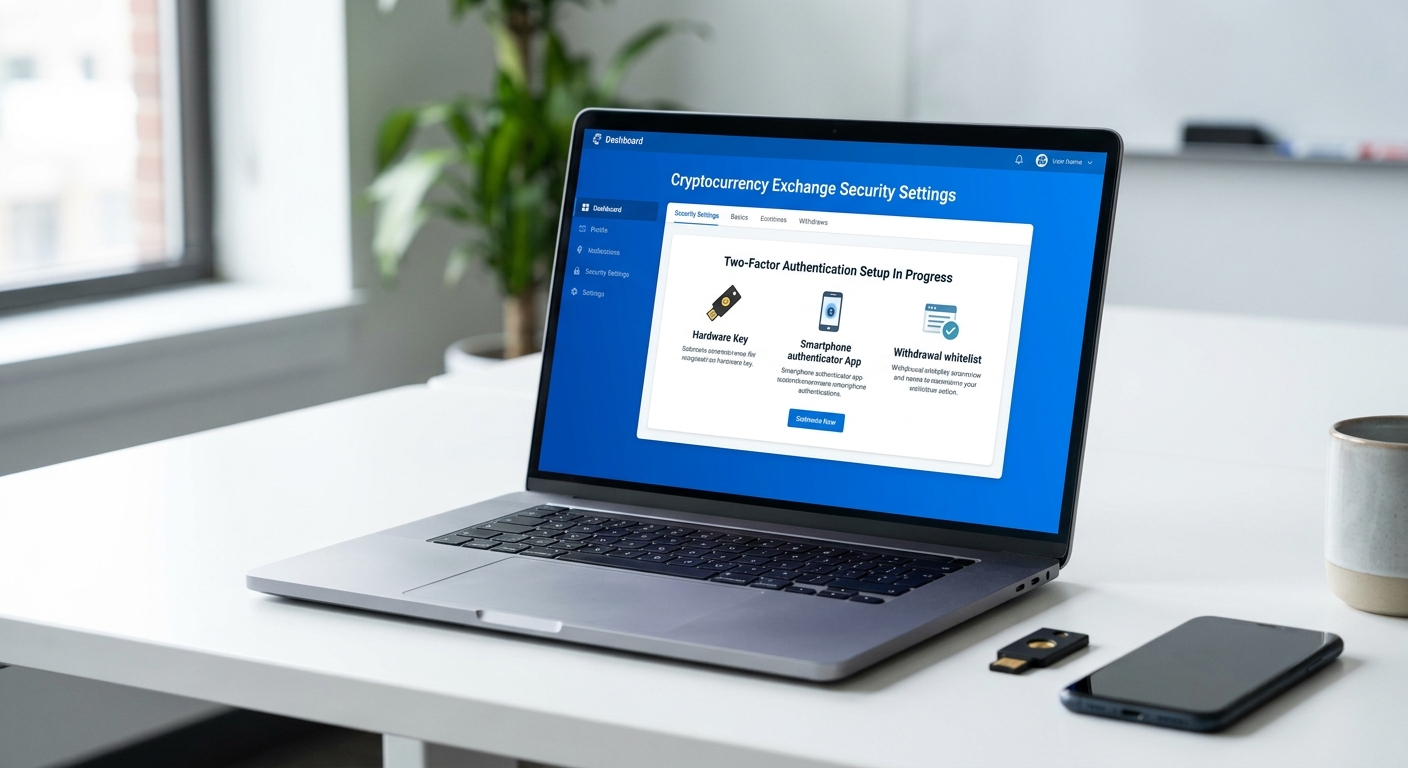
Two-factor authentication (2FA) has become the baseline security standard for crypto exchange accounts—not an optional convenience, but a mandatory defense layer that stands between a stolen password and irreversible fund loss. Yet 2FA alone is insufficient. The strongest protection emerges only when users combine 2FA with withdrawal whitelists, backup codes, device management, and strict API restrictions. This article walks you through the complete exchange security stack, explains why different 2FA methods offer vastly different levels of protection, and provides a practical priority order for locking down your account today.
Why 2FA Is the Minimum Security Standard for Exchange Accounts
Centralized crypto exchanges hold custody of user funds in hot wallets and cold storage. Unlike traditional bank accounts, crypto transactions are irreversible. Once an attacker initiates a withdrawal to an external address, the funds are gone permanently. This finality is why exchange security must begin with absolute account control—and why passwords alone are dangerously insufficient.
How a password-only account gets compromised
A password-only account requires only a single credential for an attacker to gain full access. Threat actors obtain passwords through multiple routes: credential reuse attacks (where passwords leaked from non-crypto websites are tested against exchange accounts), phishing campaigns that trick users into entering login details on fake sites, malware on personal devices that logs keystrokes or captures clipboard data, and brute-force attacks against weak or common passwords.
When no second factor exists, the moment a password is compromised, an attacker can immediately log in, change the account password, disable notifications, whitelist a withdrawal address, and move funds. The account owner may not notice until hours or days later. By that time, the funds are already gone and the attacker has likely covered their tracks by changing the recovery email and phone number.
This is why password strength, while important, is a false sense of security. Even a perfectly complex password offers zero protection if it has been exposed in a data breach or intercepted by malware. 2FA transforms this dynamic by requiring a second piece of information—something the attacker is unlikely to possess.
Why exchanges treat 2FA as baseline protection
Major exchanges including Coinbase, Kraken, Binance, and FTX (before its collapse) either require 2FA for account access or strongly enforce it for sensitive actions like withdrawals, account changes, and recovery requests. These platforms treat 2FA as a non-negotiable baseline because:
Login protection: 2FA prevents unauthorized login even if the password is stolen. An attacker cannot enter the account without the second factor.
Withdrawal security: Many exchanges require 2FA confirmation before processing withdrawals, creating a second gate between an attacker and your funds.
Account change protection: Password resets, email changes, and recovery method updates often trigger 2FA verification, preventing attackers from locking out the legitimate owner.
The industry consensus is clear: if an exchange does not offer 2FA, or does not require it for withdrawals and sensitive changes, that exchange carries elevated risk. For any account holding meaningful crypto value, 2FA is not optional.
Best 2FA Methods for Crypto Exchanges
Different 2FA methods provide dramatically different levels of security, phishing resistance, and usability. Understanding the trade-offs helps you choose the strongest option appropriate for your threat model.
| Method | Security level | Phishing resistance | Main weakness |
|---|---|---|---|
| Hardware security key (FIDO2/U2F) | Highest | Excellent (binding to domain) | Cost, physical loss/theft risk |
| Passkeys (device-bound) | Highest | Excellent (binding to domain) | Limited exchange support, device replacement complexity |
| TOTP app (Authenticator) | Strong | Good (time-based, not linkable to phishing) | Vulnerable if device is compromised; no backup if phone is lost |
| SMS 2FA | Weak to moderate | Poor (can be intercepted or forwarded in real-time phishing) | SIM swap attacks, carrier compromise, number porting |
| Email 2FA | Weak | Poor (if email is compromised, so is the 2FA) | Email account takeover bypasses the second factor |
Which 2FA method offers the strongest protection
Hardware security keys and device-bound passkeys sit at the top of the security hierarchy. Hardware keys (such as YubiKey or Titan) are small physical devices that generate cryptographic proofs. They bind authentication to the specific domain of the exchange, meaning a phishing link cannot trick the key into approving a login on a fake site. Even if an attacker intercepts your username and password, they cannot use them without physically possessing your key.
Passkeys are the modern equivalent—cryptographic key pairs stored on your device (phone, computer, or tablet). They provide domain binding and phishing resistance equivalent to hardware keys but are still emerging on major exchanges.
TOTP apps (such as Google Authenticator, Authy, or Microsoft Authenticator) are the practical middle ground. They generate time-based one-time passwords that are not linkable to phishing sites and are resistant to interception. However, if an attacker gains access to your phone, they can screenshot or export the TOTP seed and disable future 2FA. TOTP is significantly stronger than SMS and should be your default choice if hardware keys are not available.
SMS 2FA is the weakest option and should be used only as a fallback or last resort. Text messages can be intercepted, forwarded by compromised carriers, or stolen through SIM swap attacks. If your exchange offers only SMS 2FA, enable it—but also pursue alternatives.
Security Settings Users Should Enable First
2FA protects login access, but account takeover extends beyond login. Attackers who gain access to your account can change recovery settings, disable alerts, and whitelist withdrawal addresses. A complete security posture requires layering multiple settings that work together.
- Enable 2FA on login and withdrawals – Confirm that 2FA is required for both account access and withdrawal confirmation. Do not rely on a single point of protection.
- Create and store backup codes offline – Exchanges typically provide 10–20 one-time backup codes when you enable 2FA. Write these down, encrypt them, and store them in a safe place separate from your devices.
- Add a withdrawal address whitelist – Restrict outgoing transfers to a pre-approved list of wallet addresses. Any attempt to withdraw to an unapproved address will be blocked or require additional verification.
- Enable login and withdrawal alerts – Set up email and/or SMS notifications for every login and every withdrawal attempt. Review alerts immediately and report any unauthorized activity.
- Review and restrict API keys – If you use trading bots or portfolio trackers, generate API keys with minimal permissions. Disable withdrawal permissions entirely unless absolutely necessary, and restrict keys by IP address.
Priority account settings to lock down immediately
The first 10 minutes after creating a new exchange account or auditing an existing one should focus on the highest-impact actions:
- Change your password to a unique, strong passphrase – Use a password manager to generate a 16+ character password that is used only on this exchange. Avoid reusing passwords from other platforms.
- Enable non-SMS 2FA immediately – If the exchange supports hardware keys or TOTP, set one up now. Do not skip this step or delay it.
- Save backup codes in an encrypted location – Download or write down the backup codes provided during 2FA setup. Store them in a password manager, encrypted note, or offline safe—never in a screenshot on your phone.
- Set your recovery email to an account you actively monitor – Verify that the email address on file is current and secure. This is often the first target for account recovery attacks.
- Review and disable unused 2FA methods – If the exchange allows multiple 2FA methods, remove SMS as a fallback unless it is absolutely necessary. Fewer active methods reduce the attack surface.
Settings that should never be left at default
Exchanges optimize defaults for convenience, not security. Several default settings create risk and should be changed immediately.
Many platforms set SMS as the default 2FA method or allow SMS as a fallback. This is convenient for users but dangerous for security. Change the default to TOTP or hardware key and remove SMS entirely if possible.
Withdrawal permissions often default to “unrestricted” or “any address”—meaning if an attacker gains access, they can send funds anywhere. Override this by creating a whitelist of only the wallet addresses you actually use for withdrawals.
API key creation is often unrestricted by default. Some exchanges allow new API keys to have full permissions including withdrawals. If you do not actively use trading bots or automated tools, do not create API keys at all. If you do, create them with read-only or trade-only permissions and restrict them by IP address.
Session management defaults may not log out old sessions. Regularly review the “active sessions” or “login history” page and manually log out sessions from devices you no longer use. This prevents an attacker from using an old stolen session token to access your account.
Why SMS-Based 2FA Is Weaker Than Authenticator Apps or Hardware Keys
SMS 2FA represents a common compromise between security and usability. Everyone has a phone and can receive text messages; no app installation or hardware purchase is required. However, SMS suffers from fundamental weaknesses that make it unsuitable as a primary 2FA method for high-value accounts.
| Factor | SMS 2FA | TOTP app | Hardware key |
|---|---|---|---|
| Phishing resistance | None (OTP can be forwarded in real-time) | Good (OTP not linkable to phishing site) | Excellent (binds to domain, cannot be fooled) |
| SIM swap vulnerability | High (attacker changes phone number) | Not applicable | Not applicable |
| Compromise if device is lost | Moderate (attacker gains future messages) | High (attacker can export seed or backup) | None (hardware key is physical and separate) |
| Interception risk | High (messages can be intercepted by telecom) | None (generated locally) | None (proof generated locally) |
| Real-time phishing | Vulnerable (attacker can forward OTP while talking to victim) | Resistant (OTP expires in 30 seconds) | Immune (phishing site cannot generate valid proof) |
Common failure modes of SMS 2FA
SIM swapping is the most notorious SMS 2FA attack. An attacker calls your mobile carrier, impersonates you, and convinces the carrier to transfer your phone number to a new SIM card. Once the number is transferred, the attacker receives all SMS messages, including 2FA codes. They can then log into your exchange account, disable the 2FA method, and steal your funds. This attack has targeted high-net-worth crypto holders repeatedly.
Carrier compromise is rarer but documented. Insider threats at telecom companies have been exploited to intercept SMS messages or forward them to attacker-controlled phones. Nation-state actors have also compromised telecom infrastructure in targeted operations.
Real-time phishing combines SMS 2FA with social engineering. An attacker sends a phishing link that mimics the exchange login page. When the victim enters their credentials, the attacker captures them, logs into the real exchange, and receives the SMS 2FA code. The attacker then relays this code to the victim in real-time (“What code did you receive?”), creating the false impression that the login attempt failed. By the time the victim realizes they gave the code to an attacker, the account is compromised.
SMS should be treated as a fallback only—a second-line defense if your primary 2FA method is unavailable. For active accounts holding significant value, it should be disabled entirely.
Withdrawal Protection Settings That Reduce Losses
Login security and withdrawal security are distinct layers. A compromised login combined with an unrestricted withdrawal permission is a disaster. Withdrawal protection settings create friction that slows unauthorized fund movement and gives you time to detect the theft.
| Setting | What it blocks | User impact |
|---|---|---|
| Withdrawal address whitelist | Transfers to any unapproved address | First withdrawal to new address requires pre-approval |
| Withdrawal email confirmation | Fully automated withdrawal by attacker | Requires checking email and clicking a confirmation link |
| Withdrawal 2FA requirement | Bypassing 2FA verification for fund movement | 2FA code must be provided before withdrawal proceeds |
| Withdrawal cooldown (delay) | Immediate fund exfiltration | Withdrawal is queued and processes only after 24–72 hours |
| Withdrawal amount limits | Large single-transfer theft | Daily or per-transaction limits cap the amount that can be withdrawn |
| Manual review for large transfers | Undetected stealing of major holdings | Support team reviews and approves high-value withdrawals |
How withdrawal whitelists and confirmations work
A withdrawal address whitelist is one of the most effective user-side controls available. When enabled, you manually add each wallet address you plan to use for withdrawals to a pre-approved list. Any attempt to withdraw to an address not on the list will be blocked or will require additional verification.
How this helps: If an attacker compromises your account and tries to withdraw to their own wallet, the withdrawal is blocked immediately. Even if they change your password and disable 2FA, they still cannot move your funds without either adding their wallet to the whitelist (which takes time and sends notifications) or having you approve the address.
Email confirmation works similarly. After entering a withdrawal request, the exchange sends a confirmation email to your registered address. The withdrawal does not proceed until you click the link in that email. This means an attacker must also compromise your email account to complete the theft—raising the bar significantly.
Many users disable these protections for “convenience,” not realizing they are eliminating critical safeguards. For any account holding more than a small trading amount, these should be mandatory.
Which withdrawal controls matter most for high balances
For accounts holding significant value, prioritize these controls in order:
- Withdrawal address whitelist – This is the single most important user-side withdrawal control. It prevents funds from leaving the exchange to an attacker-controlled wallet, period.
- Withdrawal 2FA requirement – Ensures that even with a compromised password, the attacker cannot move funds without your second factor.
- Withdrawal cooldown (24–72 hours) – Any unauthorized withdrawal is delayed, giving you time to notice the pending transfer and cancel it before funds leave the exchange.
- Withdrawal amount limits – Caps the maximum amount that can be withdrawn in a single transaction or within a rolling 24-hour period, limiting the damage from a single compromise.
- Email confirmation – Adds a friction layer that requires the attacker to also compromise your email or monitor it in real-time.
These controls are not mutually exclusive. Enable all of them. The minor inconvenience of waiting 24 hours to access a small amount of funds is trivial compared to the risk of losing everything.
API Key Security and Trading-Bot Risk
API keys are often overlooked in security discussions, but they represent a critical attack surface. An API key is a cryptographic token that grants access to exchange functions without requiring a password. Traders use API keys to connect automated bots, portfolio trackers, and other tools to their exchange account.
The danger is that API keys can become a backdoor for account takeover. If a trading bot is compromised or misconfigured, an attacker can use the API key to place trades, withdraw funds, or perform other actions without needing your password or 2FA.
Safer API practices for active traders
- Create separate API keys for each service or bot – Do not reuse a single API key across multiple platforms. If one bot is compromised, the attacker has access to your exchange account.
- Restrict permissions to the minimum necessary – If you use a bot for trading only, create a key with trade permissions only. Explicitly disable withdrawal permissions. Most breaches do not require withdrawal access to cause damage.
- Restrict by IP address – Configure the API key to work only from the IP address of your bot server or your home network. This prevents an attacker from using the key from a different location.
- Set a withdrawal limit on the key – Some exchanges allow you to set a per-day withdrawal cap on an API key. If a key is compromised, losses are capped at this limit.
- Rotate and revoke unused keys regularly – Every 90 days, review your active API keys. Delete any keys for services you no longer use. Revoke old keys even if you think they are inactive.
- Monitor API activity – Check the exchange’s API activity log periodically for unusual requests or trades you did not initiate.
Backup Codes, Recovery Plans, and Device Hygiene
Backup codes are a critical part of the 2FA setup process that many users mishandle. When you enable 2FA, the exchange provides 10–20 one-time backup codes. These codes allow you to regain access to your account if you lose your hardware key, phone, or authenticator app.
The problem: users often screenshot these codes and save them to their phone, or write them in a plaintext note, or email them to themselves. If your phone is compromised, your backup codes are compromised. If your email is breached, your backup codes are exposed.
How to store backup codes safely
Write down your backup codes on paper and store them in a physical safe, safety deposit box, or other secure location separate from your devices. Do not take screenshots. Do not email yourself. Do not store them in cloud notes or password managers that are synchronized to your phone.
If you must store codes digitally, use a dedicated encrypted note app (such as Notion with password protection, or a local encrypted file) that is not accessible from your phone or laptop. Keep this encrypted file on an external drive stored securely.
The goal is to make your backup codes inaccessible to an attacker who compromises your phone or email, but still retrievable if you genuinely lose your 2FA method.
What to do before switching phones or replacing a key
Device transitions are high-risk moments for account lockout. If you lose access to your 2FA method before setting up a replacement, you could be locked out of your exchange account indefinitely.
Before switching phones: Log into your exchange account and test the backup code recovery process. Make sure you know where your backup codes are and that you can retrieve them. Then set up your new phone with the authenticator app, import or re-enable 2FA on the new device, and confirm that the new device generates valid codes. Only then retire the old device.
Before replacing a hardware key: Most exchanges allow you to add a second hardware key before removing the first. Do this. Add your new key, test that it works, and only then revoke the old key. If your exchange does not allow multiple keys, generate and carefully store fresh backup codes before attempting to replace the key.
Do not wait until you are locked out to solve these problems. Account lockout is a crisis, and recovery requires support tickets that may take days.
Security Features to Compare Before Choosing an Exchange
Not all exchanges offer the same security features. If you are evaluating platforms or considering moving your funds, use this checklist to assess the security standards of each exchange.
| Feature | What to look for | Why it matters |
|---|---|---|
| 2FA methods supported | Hardware keys (FIDO2/U2F), TOTP, SMS as fallback only | Hardware keys are the most phishing-resistant. SMS-only exchanges are riskier. |
| 2FA required for login | Yes, mandatory | Protects against password reuse and phishing. |
| 2FA required for withdrawals | Yes, mandatory | Prevents automated fund theft even if login is compromised. |
| Withdrawal address whitelist | Supported and easy to use | Essential control to block transfers to attacker wallets. |
| Withdrawal email confirmation | Supported as an additional option | Adds a second approval layer for withdrawal requests. |
| Login and activity alerts | Real-time email/SMS for logins and withdrawals | Helps you detect unauthorized access quickly. |
| Device and session management | Ability to view and revoke active sessions | Lets you remove old login sessions and detect concurrent logins. |
| API key permissions | Granular controls (read-only, trade-only, no withdrawals) | Limits damage if an API key is compromised. |
| Account recovery security | Multi-step verification, not reliant on email alone | Prevents attackers from using email takeover to regain access. |
| Password reset controls | Requires 2FA and email confirmation | Prevents attackers from changing your password without your knowledge. |
Exchange security checklist for account safety
| Feature | Preferred standard |
|---|---|
| Primary 2FA method | Hardware security key or TOTP app |
| Fallback 2FA method | TOTP or backup codes; SMS should be last resort |
| Login 2FA enforcement | Required for all logins |
| Withdrawal 2FA enforcement | Required for all withdrawals |
| Withdrawal address whitelist | Supported and enabled by default or strongly recommended |
| Withdrawal confirmations | Email confirmation available in addition to 2FA |
| Session management | Ability to view and revoke all active sessions |
| Login alerts | Real-time notifications for new logins from unknown devices |
| API key controls | Withdrawal permissions can be disabled; IP restrictions available |
| Account recovery | Multi-factor verification required; not solvable by email access alone |
If an exchange lacks several of these features, reconsider whether it is a safe place for significant holdings.
A Practical Security Setup Priority Order
This section provides a prioritized sequence for implementing exchange security that works for both beginners securing their first account and advanced traders protecting major positions. Follow this order to get maximum protection from your time investment.
The fastest order to improve exchange security today
- Create a strong, unique password for the exchange – Use a password manager to generate a 16+ character password that includes uppercase, lowercase, numbers, and symbols. This password should never be used on any other platform. If you have already created an account with a weak password, change it immediately.
- Enable non-SMS 2FA (hardware key or TOTP app) – If the exchange supports hardware security keys, acquire one and set it up now. If not, download Google Authenticator, Authy, or Microsoft Authenticator and enable TOTP. Do not use SMS 2FA as your primary method. Save your backup codes in an encrypted, offline location.
- Create a withdrawal address whitelist – Add only the wallet addresses you currently use to receive crypto from the exchange. Block any other addresses. Test the whitelist by attempting a small withdrawal to one of your whitelisted addresses to confirm it works.
- Enable login and withdrawal alerts – Configure the exchange to send you an email (or SMS if email alerts are not available) for every login and every withdrawal attempt. Check these alerts regularly. Investigate any login or withdrawal you do not recognize immediately.
- Review and secure your recovery email – Verify that the email address on file is one you actively monitor and that it uses a strong, unique password. Consider enabling 2FA on this email account as well. This email is a critical recovery path if you are locked out.
- Generate backup codes and store them securely – Most exchanges provide backup codes during 2FA setup. Write these down (do not screenshot) and store them in a physical safe or encrypted offline file. Test the backup code recovery process once to verify it works, but do not share or screenshot the codes.
- Audit and restrict API keys – If you have created API keys for bots or portfolio tools, review each one. Delete any keys you no longer use. For remaining keys, disable withdrawal permissions, set an IP address restriction, and review the key’s activity log for suspicious requests.
Following this sequence takes 30–45 minutes and protects you against the vast majority of common attack vectors. For traders holding larger balances or operating automated bots, repeat this process every 90 days as part of routine security maintenance.